Summary
This guide explains how to add a new user to your DiverseHosting Client Area.
Adding a new user allows you to give another person access to your account with permissions that you set to allow them to access specific areas without sharing your own login details.
Add a new user
-
Sign in to your DiverseHosting Client Area.
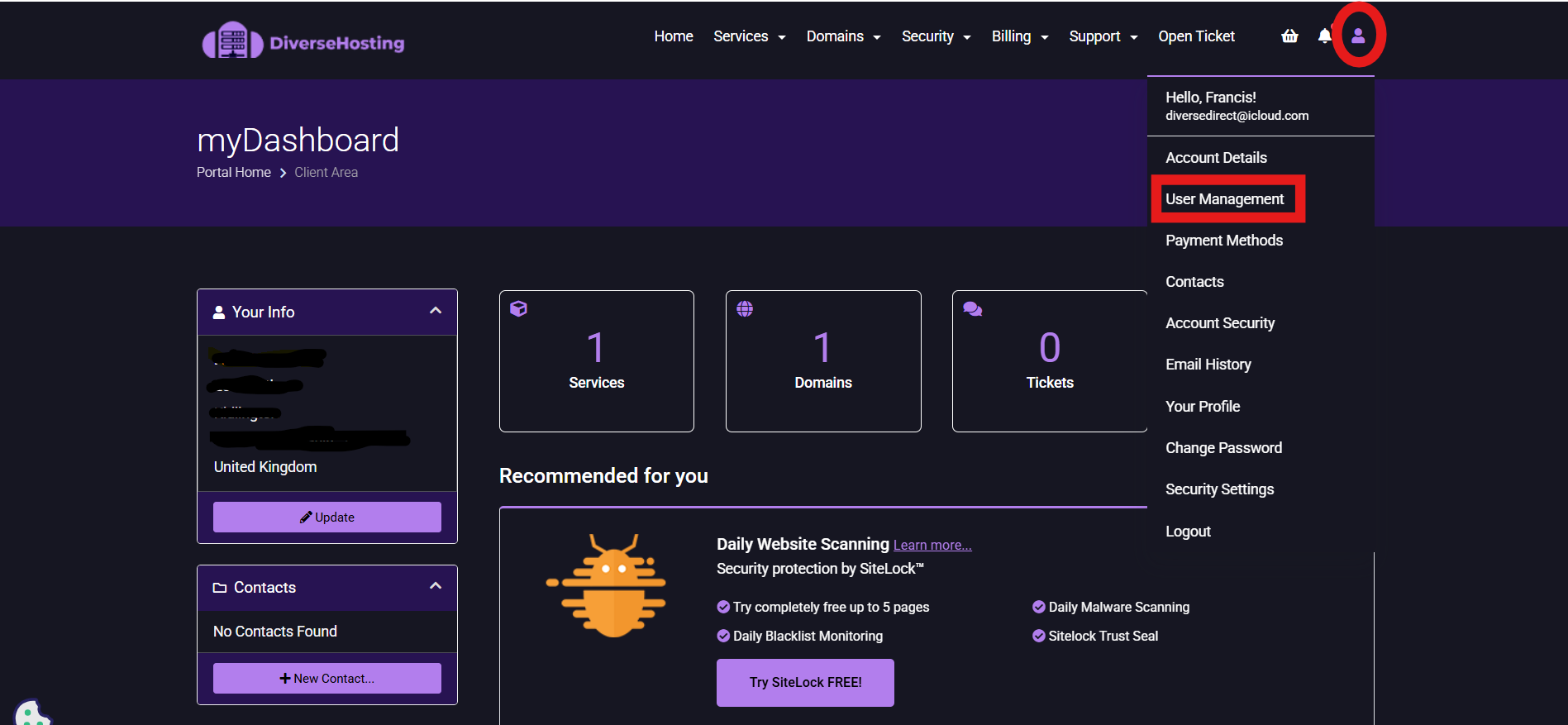
- Click on the person icon and select 'User Management'
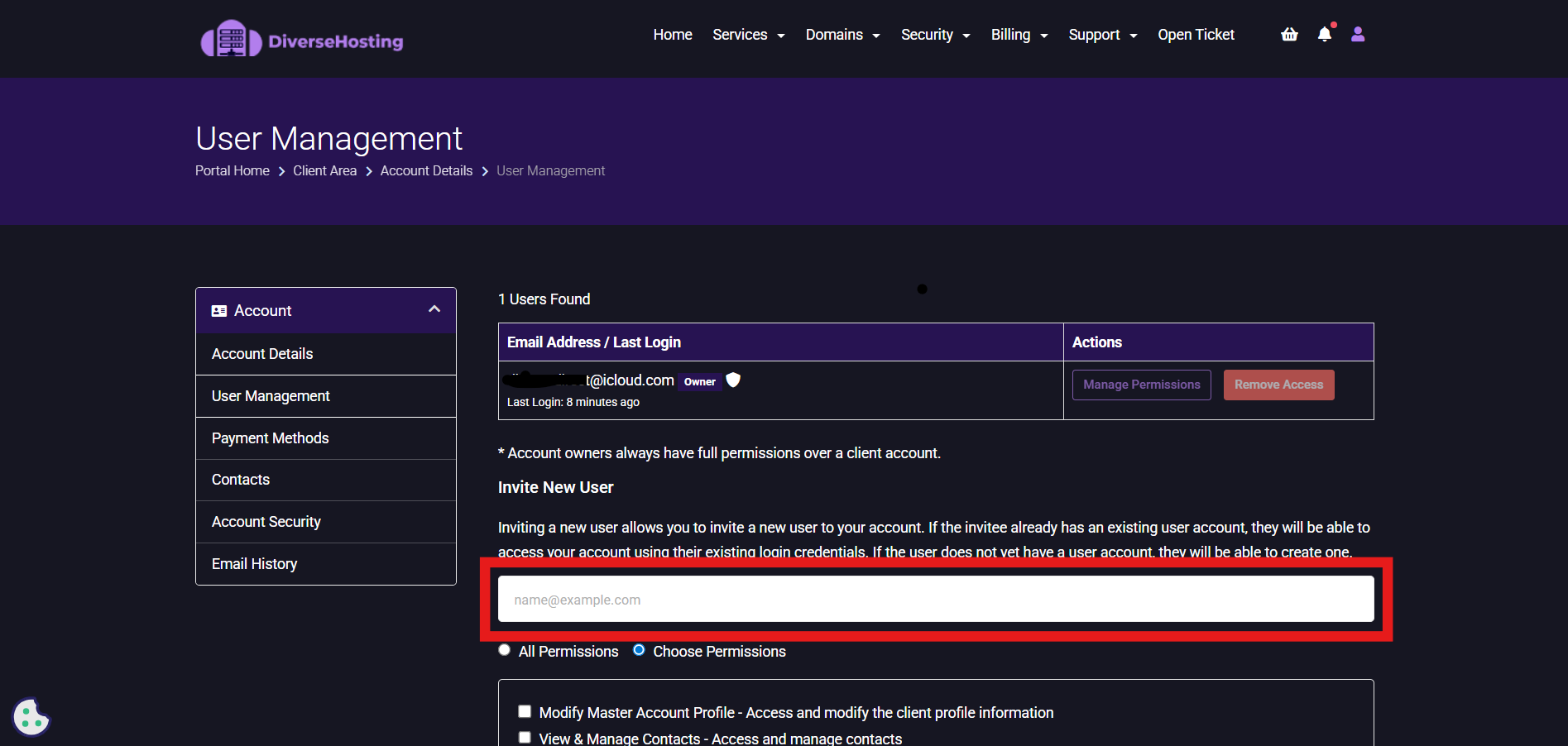
3. Under invite new users, enter the email address of the person you want to invite.
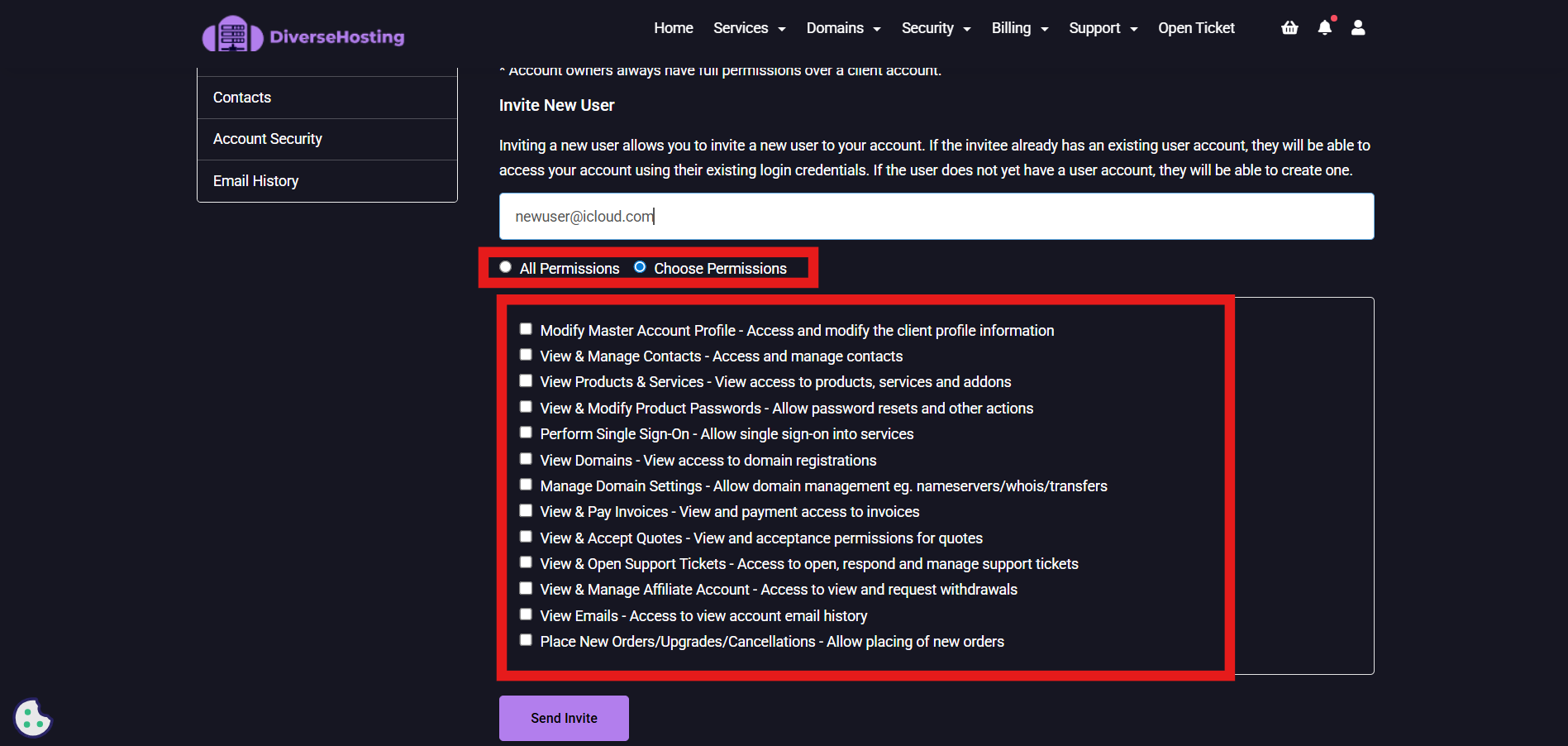
4. Now select the permissions you would like this user to have.
5. Once you have selected the correct permissions, click 'Send Invite'.
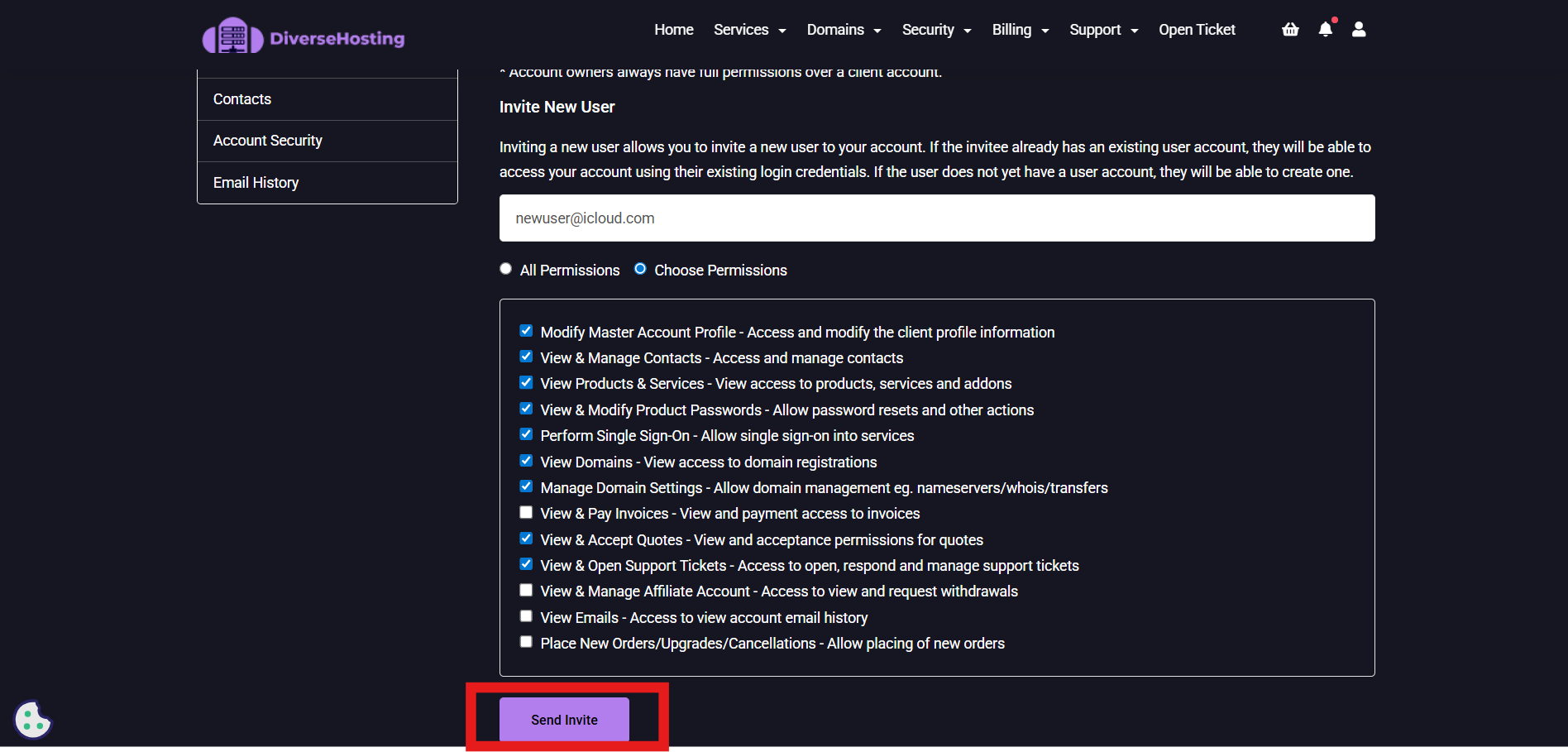
An Invite will now be sent that individiuals email address for them to accept.
